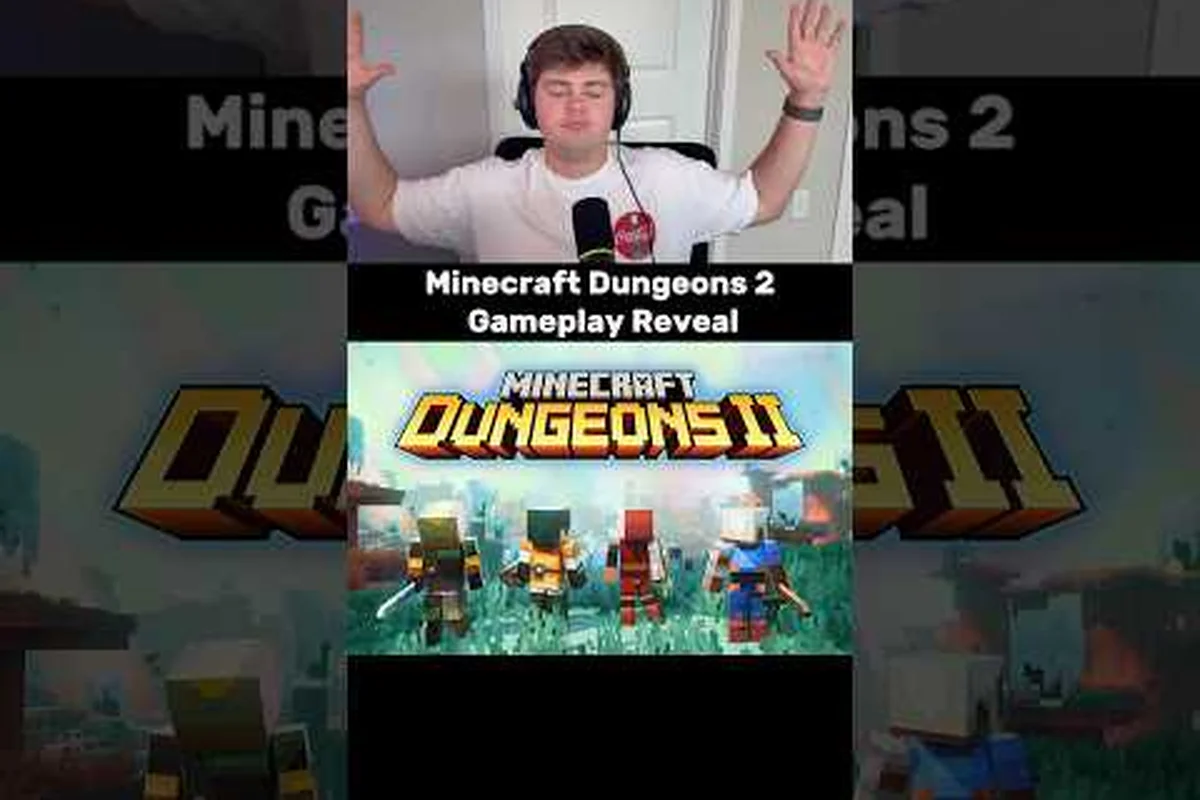
Couch co-op is the fastest way to share the adventure, and Minecraft Dungeons II split screen brings the classic four-on-one-console setup straight into the sequel. That matters because the game launches on September 29, 2026, and the whole screen now has more to juggle — a jump ability, four separate armor slots, and passive talismans all change how a shared run feels. Whether you plan a living-room squad or a remote crew, here is exactly how split screen works, how many players can join, and which platforms talk to each other at day one.
Minecraft Dungeons II Split Screen: What You Get at Launch
The headline feature is simple: up to four heroes on a single screen when you play locally on a console. According to the Xbox Wire co-op announcement, the sequel supports up to four-player co-op across local, online, and matchmaking modes, which means the same party size carries over from the original game rather than shrinking. That is a relief for families and dorm-room squads who built their whole routine around passing one controller around.
The shared screen layout splits the display into quadrants when four heroes drop in, so each player gets their own view of the dungeon while the camera keeps everyone roughly in frame. Because the sequel adds a jump mechanic and more vertical level design, the camera has to work harder during split play — community reports from the r/MinecraftDungeons subreddit suggest the demo build handled this well, though tight corridors can still feel crowded.
Here is the full platform picture at launch, based on the official announcements: local split-screen co-op is supported on all consoles, but the player cap varies by platform—up to four on PS5, Xbox Series X|S, and Nintendo Switch, while PC only allows two. Cross-play is enabled everywhere, yet cross-platform split-screen requires same-console players. For example, Switch runs split-screen at 540p/30fps, while PS5 and Xbox Series X hit 1440p at 60fps. That performance gap affects how many players you can host comfortably.
| Platform | Local Split Screen | Online Co-op | Matchmaking | Notes |
|---|---|---|---|---|
| Xbox Series X and S | Yes (4 players) | Yes | Yes | Game Pass day one + Xbox Play Anywhere |
| PlayStation 5 | Yes (4 players) | Yes | Yes | Native local support |
| Nintendo Switch / Switch 2 | Yes (4 players) | Yes | Yes | Handheld + docked play |
| PC (Steam / Xbox PC) | Shared screen via Remote Play | Yes | Yes | Remote Play Together for couch-style play |
| Cloud (Xbox Cloud Gaming) | No | Yes | Yes | Streaming only |
That table reflects the party size you can expect on each platform, and it confirms that Minecraft Dungeons II cross platform play is built in from the start rather than patched in later. If your group mixes an Xbox with a Switch, you can still share the same dungeon without worrying about which console is in the living room.
How to Set Up Minecraft Dungeons II Split Screen Co-op
Getting a local session running takes about a minute, but the exact steps depend on whether you are on console or PC. The good news is that the sequel keeps the same drop-in philosophy as the original: you do not need to grind a separate save for each hero.
Console Setup Steps
On Xbox Series X|S, PlayStation 5, or Switch, the process is nearly identical: press the Menu button on a second controller while in the camp, sign that player into their profile, and their hero appears ready to join the next mission. All three consoles support up to four players in shared-screen co-op, but Switch players must pair a second set of Joy-Cons or a Pro Controller, and the game targets 30 FPS in split-screen versus 60 FPS on Xbox and PS5.
-
Boot the game and reach the main hub — the camp hub acts as your staging area before missions.
-
Sign in every controller you want to use, with each player picking a profile or a guest account.
-
From the hub, press the add player prompt that appears on the right side of the screen.
-
Each new hero drops into the hub with their own gear, and the host then selects a mission to launch the run.
-
Once the mission starts, the shared screen splits automatically to fit the party.
The key detail is that guest accounts work fine for casual runs, but they do not carry progression back to a permanent profile. If you want your Minecraft Dungeons II play with friends sessions to save each hero's gear and level, every player should sign in with their own profile before joining.
Steam Remote Play Together
PC players get a slightly different route. The Minecraft Dungeons II on Steam listing confirms that Remote Play Together lets one copy of the game host remote friends in local mode. That means you can invite a friend who does not own the game, and they join your shared screen session over the network. It is a clever workaround for the fact that a true split screen on PC is rare, and it extends the couch co-op feel to a remote buddy.
| Setup Method | Players | Best For | Extra Requirement |
|---|---|---|---|
| Local controllers | 2–4 | Same room, same console | One controller per hero |
| Remote Play Together | 2–4 | PC host + remote friends | Host owns the game, stable upload |
| Online invite | 2–4 | Friends on any platform | Both own the game |
| Matchmaking | 2–4 | Random squads | Online connection |
Whichever route you pick, the party size stays capped at four, so you never have to worry about a fifth player being left out. If you want to dig deeper into the invite flow and friend-request steps, the how to invite friends in Minecraft Dungeons II guide walks through the exact menus for every platform.
Minecraft Dungeons II Party Size: How Many Players Can Join
The short answer to Minecraft Dungeons II how many players is four — that is the hard cap across local, online, and matchmaking modes. The sequel does not expand to six or eight, which keeps the difficulty tuning predictable and the screen readable. Because the game now has four armor slots, three artifacts, and three talismans per hero, a full squad can cover a lot of build variety, which is why the party size matters more than it did in the original.
Here is the breakdown of what each mode allows: local shared-screen co-op supports up to four players on a single console, while online multiplayer expands that to a full party of four across separate devices. Cross-platform play between PC, Xbox, and Nintendo Switch adds flexibility, letting you mix local and remote players in one session. Note that the shared-screen mode caps at two players on the Switch in handheld mode, so party size varies depending on your platform and connection type.
| Mode | Max Players | Matchmaking | Crossplay | Notes |
|---|---|---|---|---|
| Local split screen | 4 | No | N/A | One console, multiple controllers |
| Online co-op (friends) | 4 | No | Yes | Invite via friend list |
| Matchmaking | 4 | Yes | Yes | Random drop-in |
| Solo | 1 | No | No | Full control of the hub |
The matchmaking queue is the fastest way to fill an empty slot if your squad is short, and it works across the whole cross platform network. Community data from the demo period suggests that matchmaking prioritizes players near your power level, so you will rarely get dragged into a run far above your gear score. That said, the host sets the difficulty, so if you join a random lobby, you are bound to the host's chosen level and modifiers.
One thing to keep in mind: the four-player cap applies to every mode, but the campaign length can stretch if you are constantly rotating heroes. If you are wondering how long a full co-op run takes with a full squad, the Minecraft Dungeons II campaign length guide breaks down per-mission times and total hours.
Minecraft Dungeons II Cross Platform Play: Mixing Consoles
The big headline for the sequel is that Minecraft Dungeons II cross platform play is fully supported at launch. According to the Xbox Wire announcement, the game ships on Xbox Series X|S, Xbox PC, cloud, Game Pass (day one) with Xbox Play Anywhere, plus Steam, PlayStation 5, Nintendo Switch, and Switch 2 — and all of those platforms share the same online lobbies. That means a Switch 2 player can run a dungeon with a Steam player and an Xbox player in the same four-person party.
The cross platform support works through the same friend system across the board, so you add friends by platform account or by in-game code. There is no platform-exclusive co-op wall, which is a big upgrade over the original game's more limited crossplay at launch. According to the PCGamesN release date report, the sequel also ships with pre-order bonuses like two bonus hero skins, a Twisted cape, and a Twisted chicken pet — cosmetic items that carry across platforms through your account.
A few practical notes on cross-platform lobbies: while the game supports cross-play between PC, Xbox, PlayStation, and Nintendo Switch, party invites are tied to your Mojang account rather than platform friend lists—so you'll need to exchange usernames or send a friend request through the in-game social tab first. Note that PlayStation and Switch players must enable cross-platform play in their system settings before they can join a PC-hosted lobby, and a full party of four on one console can still mix with online players, but the host's connection determines overall latency.
-
Voice chat is handled per platform, so a mixed party may need a third-party app if you want voice.
-
Progress syncs through your account, so you can switch from Xbox to PC without losing gear.
-
Matchmaking pools all platforms together, which keeps the queue short even late at night.
-
Remote Play Together only applies to Steam, so it does not mix with console lobbies.
If you are planning a long co-op campaign with a mixed group, the cross platform flexibility is a genuine quality-of-life win. You can start a session on the couch and then continue the same heroes online with distant friends, because the same save and gear follow your account.
Tips for a Smooth Minecraft Dungeons II Shared Screen Session
A good shared screen run comes down to a few habits that keep the chaos fun instead of frustrating. The Enchantsmith is a new hub NPC that lets you re-roll enchantments on gear, and it becomes a natural stop between missions for a full squad. Because each player now manages four armor slots, three artifacts, and three talismans, the inventory screen is busier than in the original, so the improved menu matters more during co-op.
Build Roles for a Four-Player Squad
The party size of four encourages role specialization, and the community has already settled on a few patterns: a melee tank stacking Radiance and Leech holding front, a ranged DPS with Multishot and Overcharge for damage, a support running the Gong of Weakening and Death Cap Mushroom to debuff enemies, and a caster using Soul Healer and Harvester for heals. Since split screen shares one viewport, the tank's positioning dictates what the other three see — pulling mobs to center keeps the ranged DPS effective, while chasing stragglers off-screen is lethal.
-
Tank — the hero with heavy armor and defensive talismans holds the front line and draws aggro.
-
Damage — a fast attacker with a Tornado Blade or similar weapon melts mobs while the tank holds position.
-
Support — a player who focuses on healing artifacts and buff talismans keeps the squad alive.
-
Flex — the fourth slot adapts to the mission, often carrying a boss-killer build.
That split works because the sequel's talismans provide passive effects that stack across the team, so a support player can boost everyone's damage without micromanaging. If you are new to the game entirely, the Minecraft Dungeons II beginner guide is a good place to learn the basics of gear and the hub before you jump into a four-player run.
Keep the Camera and the Pace in Mind
The jump ability is new to the sequel, and it changes how the camera behaves during platforming sections. In a shared screen, the camera follows the host, so if the host leaps ahead, the other three players can get dragged off-screen. The fix is simple: the host should slow down in vertical areas and let the squad catch up. Community reports from the demo note that the camera does a decent job of keeping everyone in frame, but it is not perfect in tight corridors.
A few more tips that make a real difference: anchor the camera on the slower player in split-screen so the faster one doesn't drag the shared view into a mob-packed corridor, and match your pace to the party's lowest power level — rushing ahead in Minecraft Dungeons II splits the camera focus and can pull one player into a separate encounter. When playing with the full four-player party size, pausing between rooms lets the camera settle and keeps shared-screen visibility stable for everyone.
-
Set the difficulty together — the host picks the level, so agree on a comfortable setting before launching.
-
Assign loot roles — with four armor slots each, decide who picks up what to avoid inventory chaos.
-
Use the pause menu — the game pauses for everyone when the host opens the menu, which is handy for quick gear swaps.
-
Test talismans early — the passive effects are new, so try them in a low-risk mission before a boss fight.
The talisman system is one of the most interesting additions for co-op, because passive effects like a dog talisman companion can change how a squad clears rooms. If you want to know where to find those drops, the Minecraft Dungeons II dog talisman guide covers the drop locations and best farming spots.
Frequently Asked Questions
Does Minecraft Dungeons II split screen work on PC?
PC does not have a native split screen, but the Steam version supports Remote Play Together, which lets one host share the local mode with up to three remote friends. That gives you the same four-player shared experience without needing four copies of the game, though it requires a stable connection for the host.
What is the maximum party size in Minecraft Dungeons II?
The party size is capped at four players in every mode — local split screen, online co-op, and matchmaking. There is no six-player option, so plan your squad around four heroes. The cap keeps the difficulty balanced and the screen readable, even with the new jump and talisman mechanics.
Is Minecraft Dungeons II cross platform play supported?
Yes, Minecraft Dungeons II cross platform play works across Xbox, PlayStation, Nintendo Switch, Steam, and cloud at launch. A mixed party can run the same dungeon together through the friend system and matchmaking, and your gear and progress sync through your account across supported platforms.
Do I need multiple controllers for split screen?
Yes, each player needs their own controller for local split screen, but guest profiles are supported, so you do not need a separate account for every hero. If you want to save progress and gear, each player should sign in with their own profile rather than a guest slot.
Can I play split screen online with friends?
Absolutely. Start a local split-screen session, then add online friends to fill the remaining slots up to the four-player cap. Consoles (Xbox Series X|S, PlayStation 5, Switch) support native local co-op, while Steam's Remote Play Together lets a couch squad add one remote buddy.